• TRENDING
  • The Skywalker Saga
  • Elden Ring Boss
  • Sonic Frontiers PS 5
  • Deathloop Gameplay
  • CONTACT US
SUBSCRIBE
The Gamer Sanctuary
  • Home
  • Games
    • Pokemon go
    • Fortnite
    • Fisch
    • Honkai Star Rail
    • Marvel Rivals
    • Minecraft
    • ROBLOX
    • Wordle
    • Valorant
    • NYT Strands
    • NYT Connections
  • Xbox
    Unlocking the Challenge: Fun Hints and Solutions for the January 4, 2025 Gaming Quest!
    Games

    Unlocking the Next Level: Hints and Answers for NYT Strands – January 20, 2025!

    TGS TGS January 19, 2025
    Unlocking Venti: Ultimate Team, Weapon, and Artifact Guide for Genshin Impact!
    Games

    Unlocking Venti: Ultimate Team, Weapon, and Artifact Guide for Genshin Impact!

    TGS March 21, 2025
    Unlocking the Mystery: What Happened to Aglaea in Honkai Star Rail?
    Games

    Unlocking the Mystery: What Happened to Aglaea in Honkai Star Rail?

    TGS May 24, 2025
  • Bookmarks
Reading: Unlocking the Game: 5 Easy Fixes for Honkai Star Rail Login Error 1001_1!
Share
The Gamer SanctuaryThe Gamer Sanctuary
Font ResizerAa
  • Adventure
Search
  • Home
    • Home 5
  • Categories
  • Bookmarks
    • My Bookmarks
  • More Foxiz
    • Blog Index
    • Sitemap
Have an existing account? Sign In
Follow US
© Foxiz News Network. Ruby Design Company. All Rights Reserved.
Games

Unlocking the Game: 5 Easy Fixes for Honkai Star Rail Login Error 1001_1!

TGS
Last updated: January 15, 2025 7:00 pm
TGS
Share
5 Min Read
Unlocking the Game: 5 Easy Fixes for Honkai Star Rail Login Error 1001_1!
SHARE

How to Fix the Honkai Star Rail Login Error 1001_1: A Guide for Gamers

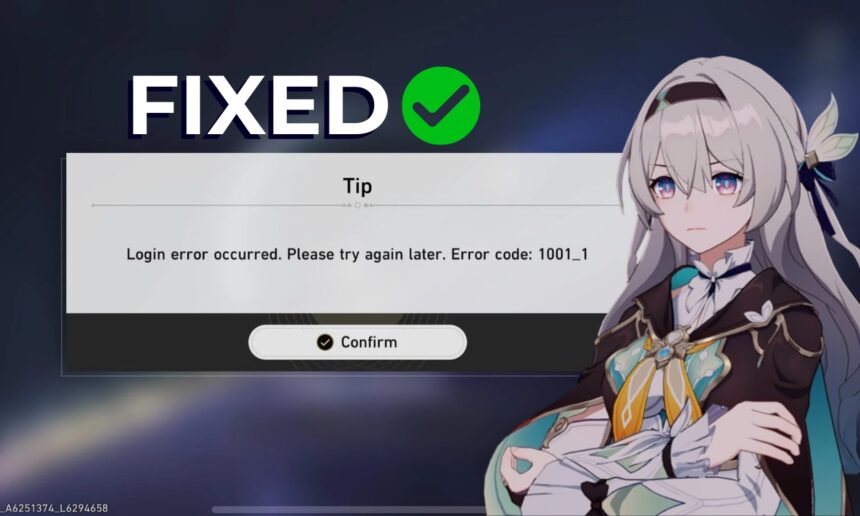
If you’re a fan of Honkai Star Rail, you might sometimes run into problems signing in to the game. One of the more common issues players face is the Error 1001_1. But don’t worry! This guide is here to help you understand why this error occurs and how to fix it.

What is Error 1001_1?

The Error 1001_1 usually pops up when your game can’t connect to its server. Think of the server like a big online gaming party where everyone needs to be connected to join in. If there’s a problem, it’s like some guests are having trouble getting to the party. This can happen for a few reasons, like issues with your internet connection, the game’s servers being down, or even a problematic setting on your device.

Here are 5 Easy Ways to Fix the Login Error:

1. Check the Game’s Server Status

First things first! The best step is to check if the Honkai Star Rail servers are up and running. Sometimes, the developers need to do maintenance, and if the servers are down, there’s not much you can do but wait.

  • How to Check: Head over to their official social media pages or Discord channel. Developers often give updates there, so you’ll know if you’re not alone in facing this problem.

2. Change Your Internet Connection

If the servers are okay, the next thing to try is your internet connection. Switching between mobile data and Wi-Fi can sometimes fix the issue.

  • Example: If you’re using Wi-Fi, try using your phone’s mobile data instead, or the other way around. This helps you see if your internet provider is having issues.

3. Change Your DNS Settings

Sometimes, the error can be linked to something called DNS (Domain Name System). It’s a way your device connects to the internet. Here’s how you can change it:

  • On Windows:

    1. Press Windows + R to open the Run dialog.
    2. Type ncpa.cpl and hit Enter.
    3. Right-click your internet connection and select Properties.
    4. Click on Internet Protocol Version 4 (TCP/IPv4), then Properties again.
    5. Choose Use the following DNS server addresses and enter:
      • Preferred: 1.1.1.1
      • Alternate: 1.0.0.1
    6. Click Apply and then OK.
  • On Android:
    1. Open your Wi-Fi settings and select your network.
    2. Change Preferred DNS to 1.1.1.1 and Alternate DNS to 1.0.0.1.

If these don’t work, you could also try Google’s DNS:

  • Preferred: 8.8.8.8
  • Alternate: 8.8.4.4

4. Log Out and Log In Again

Sometimes, a simple restart can fix the problems! Try logging out of your account and logging back in.

  • Steps to Follow:
    1. Start the game and reach the home screen.
    2. Click on the Logout option.
    3. Log back in and see if you can connect now!

5. Disable VPNs and Extra Firewalls

If you have any VPNs or third-party firewalls running, it might be blocking your connection to the game. Try turning them off temporarily and see if that solves the issue.

  • Why This Matters: VPNs and firewalls can sometimes confuse how your device connects to games, and that may lead to errors like 1001_1.

Final Thoughts

Playing video games like Honkai Star Rail should be fun and engaging! While errors like 1001_1 can be frustrating, following these steps can help you get back into the game quickly. Remember, troubleshooting also helps improve problem-solving skills, which you can apply in many areas of life, including school!

What about you? Have you ever faced a challenge in a video game? How did you overcome it? Share your thoughts and tips in the comments! Keep gaming, and have fun!

You Might Also Like

Unlocking the Secrets: Today’s NYT Connections Hints and Answers for March 1, 2025!

Unlocking the Secrets of Bungie’s Marathon: Cool Glitches and Awesome Abilities Revealed!

Unlocking the Secrets of HSR 3.0: Your Ultimate Guide to the Night Veil Mission!

Beat the Fortnite Matchmaking Blues: Your Ultimate Fix Guide!

Unlocking Extra Flasks in Elden Ring: Tips for Young Adventurers!

TAGGED:#Honkai Star Rail
Share This Article
Facebook X Email Print
Leave a Comment Leave a Comment

Leave a Reply Cancel reply

Your email address will not be published. Required fields are marked *

New Releases

- Advertisement -
Ad image

Trending Stories

Squash the ‘Failed to Find Installed Product’ Error in Minecraft: A Gamer’s Guide to Getting Back in the Game!

March 26, 2025
Unlocking the Secrets: Your Ultimate Guide to Completing the Sea 2 Animals Bestiary in Fisch!
Games

Unlocking the Secrets: Your Ultimate Guide to Completing the Sea 2 Animals Bestiary in Fisch!

April 5, 2025
Unlocking the Secrets: Where to Find All Urubamba Saurians in Genshin Impact 5.5!
Games

Unlocking the Secrets: Where to Find All Urubamba Saurians in Genshin Impact 5.5!

March 27, 2025
Unlocking Aqua Affinity: Dive into Minecraft’s Cool Water Powers!
Games

Unlocking Aqua Affinity: Dive into Minecraft’s Cool Water Powers!

January 7, 2025
Game On! Your Ultimate Guide to Winning Hints and Answers for April 3, 2025!
Games

Unlocking the Challenge: Hints, Answers, and Fun Puzzles for April 24, 2025!

April 23, 2025
Can You Play the Elden Ring Nightreign Network Test on PC? Here’s What You Need to Know!
Games

Can You Play the Elden Ring Nightreign Network Test on PC? Here’s What You Need to Know!

February 14, 2025

Always Stay Up to Date

Subscribe to our newsletter to get our newest articles instantly!

Follow US on Social Media

Facebook Youtube Steam Twitch Unity

© 2025 Thegamnersanctuary.net - All Rights Reserved. YS

The Gamer Sanctuary

More from Foxiz

  • Job @FoxizMagazine
  • Privacy Policy
  • Advertise
  • Subscribe
Welcome Back!

Sign in to your account

Username or Email Address
Password

Lost your password?