• TRENDING
  • The Skywalker Saga
  • Elden Ring Boss
  • Sonic Frontiers PS 5
  • Deathloop Gameplay
  • CONTACT US
SUBSCRIBE
The Gamer Sanctuary
  • Home
  • Games
    • Pokemon go
    • Fortnite
    • Fisch
    • Honkai Star Rail
    • Marvel Rivals
    • Minecraft
    • ROBLOX
    • Wordle
    • Valorant
    • NYT Strands
    • NYT Connections
  • Xbox
    Level Up Your Game: Hints and Answers for Today’s Spangram Challenge (May 3, 2025)!
    Games

    Unlocking the May 28 Puzzle: Tips, Answers, and Fun Spangrams!

    TGS TGS May 28, 2025
    Unlock Today’s Wordle Challenge: Hints and the Answer for #1445 (June 3, 2025)!
    Games

    Unlocking Today’s Wordle: Hints and the Answer for Puzzle #1447 (June 5, 2025)

    TGS June 5, 2025
    Unlock Epic Rewards and Cool Free Costumes in the Marvel Rivals Galacta’s Gift Event!
    Games

    Unlock Epic Rewards and Cool Free Costumes in the Marvel Rivals Galacta’s Gift Event!

    TGS May 15, 2025
  • Bookmarks
Reading: Get Ready to Hunt: Easy Guide to Preloading Monster Hunter Wilds on Your PC, PS5, or Xbox!
Share
The Gamer SanctuaryThe Gamer Sanctuary
Font ResizerAa
  • Adventure
Search
  • Home
    • Home 5
  • Categories
  • Bookmarks
    • My Bookmarks
  • More Foxiz
    • Blog Index
    • Sitemap
Have an existing account? Sign In
Follow US
© Foxiz News Network. Ruby Design Company. All Rights Reserved.
Games

Get Ready to Hunt: Easy Guide to Preloading Monster Hunter Wilds on Your PC, PS5, or Xbox!

TGS
Last updated: February 26, 2025 2:30 am
TGS
Share
3 Min Read
Get Ready to Hunt: Easy Guide to Preloading Monster Hunter Wilds on Your PC, PS5, or Xbox!
SHARE

Get Ready for Monster Hunter Wilds!

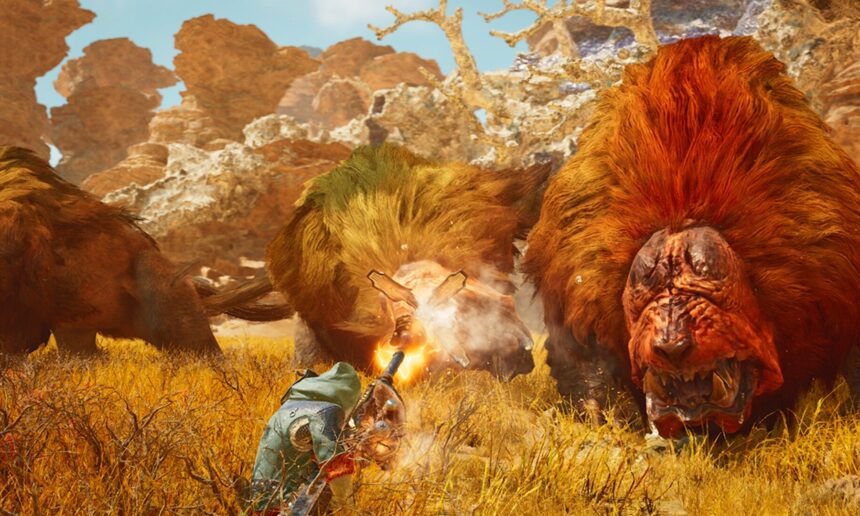
Hey there, gamers! Are you excited about the upcoming release of Monster Hunter Wilds? This epic game is set to launch on February 28, 2025, at 9:00 PM PST! It’s going to be a fantastic addition to the Monster Hunter series, featuring a huge open world for the first time. If you’re as pumped as we are, let’s dive into how you can preload the game so you can jump right into the action as soon as it’s available!

What is Preloading?

Preloading means that you can download a game before it’s officially released, so you’re all set to play right when it comes out! Think of it as setting up your gaming area before a big party—you want everything to be ready when your friends arrive!

How to Preload Monster Hunter Wilds

Here’s how you can get started with preloading Monster Hunter Wilds on different platforms:

For PC (Steam)

  1. Open the Monster Hunter Wilds page on Steam.
  2. Look for the preload button which will appear on February 25, 2025, at 9 PM PT.
  3. Click the preload button and choose where you want to install the game on your computer.
  4. Just sit back and wait for the download to finish!

For PS5

  1. Go to the PlayStation Store and find Monster Hunter Wilds.
  2. Search for the preload option, which should pop up 48 hours before the launch.
  3. Select it and let the installation happen!

For Xbox

  1. Open the Xbox Games Store and find Monster Hunter Wilds.
  2. Choose the preload option available after February 25, 2025, at 9 PM PT.
  3. Then, wait for the installation to complete. Easy peasy!

Why Gaming is Great

Gaming isn’t just about having fun (though that’s a huge part of it!). It can also help you build some valuable skills:

  • Problem-Solving: Many games require you to think critically and come up with strategies to overcome obstacles. It’s like solving a puzzle!
  • Teamwork: If you play online with friends, you’ll learn how to cooperate and communicate effectively to achieve goals together.
  • Creativity: Games often let you design characters, build worlds, or create your own stories. It’s a great way to express yourself!

Join the Fun!

Now that you know how to preload Monster Hunter Wilds on your favorite platform, why not share your excitement? Comment below with your favorite video game and what you love about it! Is there a particular challenge in a game you faced that taught you something? We’d love to hear your stories!

Remember, balance is key. While gaming can be a blast, make sure to take breaks and enjoy other activities too. Happy gaming, and get ready for your monster-hunting adventure!


You Might Also Like

Unlocking the Secrets of Doom: Explore the Hidden Areas of the Dark Ages!

Ultimate Guide: Snagging the Baby Pond Emperor in Fisch!

Unlocking the Secrets of Ghoul Re Codes: Your Guide to Epic Gaming Adventures!

Game On: Your Ultimate Guide to Solving Today’s NYT Puzzles for April 26, 2025!

Get Ready for the Newest Honkai Star Rail Characters in the Exciting HSR 3.2 Update!

Share This Article
Facebook X Email Print
Leave a Comment Leave a Comment

Leave a Reply Cancel reply

Your email address will not be published. Required fields are marked *

New Releases

- Advertisement -
Ad image

Trending Stories

Unlocking the Challenge: Your Go-To Guide for NYT Connections on April 2, 2025!
Games

Unlocking NYT Connections: Tips and Answers for April 26, 2025 – Level Up Your Game!

April 25, 2025
Conquer the Night: Your Ultimate Guide to Defeating Heolstor the Nightlord in Elden Ring!
Games

Conquer the Night: Your Ultimate Guide to Defeating Heolstor the Nightlord in Elden Ring!

June 2, 2025
Unlocking the Abyssal Specter Rod in Fisch: Your Ultimate Guide!
Games

Unlocking the Abyssal Specter Rod in Fisch: Your Ultimate Guide!

January 26, 2025
Unlocking the Sorcerer’s Rise: Your Guide to Winning in Elden Ring Nightreign!
Games

Unlocking the Sorcerer’s Rise: Your Guide to Winning in Elden Ring Nightreign!

May 30, 2025
Mastering Fortnite: Your Ultimate Guide to Playing on Mac!
Games

Mastering Fortnite: Your Ultimate Guide to Playing on Mac!

January 14, 2025
Unlock Today’s Wordle Challenge: Hints and the Answer for #1323!
Games

Unlock Today’s Wordle Challenge! Hints and Answer for #1331 (February 9, 2025)

February 8, 2025

Always Stay Up to Date

Subscribe to our newsletter to get our newest articles instantly!

Follow US on Social Media

Facebook Youtube Steam Twitch Unity

© 2025 Thegamnersanctuary.net - All Rights Reserved. YS

The Gamer Sanctuary

More from Foxiz

  • Job @FoxizMagazine
  • Privacy Policy
  • Advertise
  • Subscribe
Welcome Back!

Sign in to your account

Username or Email Address
Password

Lost your password?