

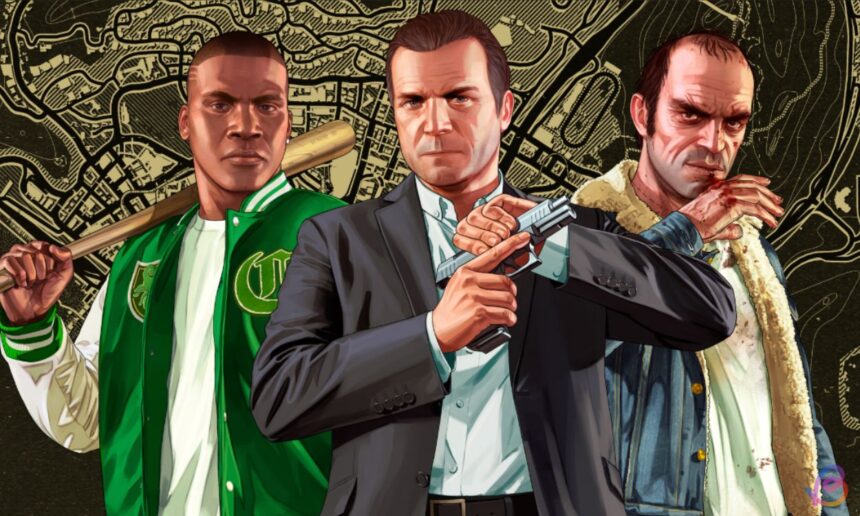
Unlocking the Fun: A Guide to Modding GTA 5 for Students
Hey there, gamers! If you’re an 8th or 9th grader who loves playing Grand Theft Auto 5 (GTA 5), you might have heard about something called mods. Mods are like superpowers that can change up the game and make it even more exciting. Let’s dive into what modding is, how you can do it safely, and the cool things you can do with mods!
What are Mods?
Mods, short for modifications, are changes or additions to a game that can enhance your experience. Imagine you have a favorite video game, and then someone gives it a makeover with new cars, visuals, or even funny challenges. That’s what mods do! They can bring fresh life into games that you’ve been playing for a while.
Why Mod?
- Creativity: Modding allows you to express your creativity. You can customize characters, design new missions, or even change how the world looks.
- Problem-solving: Many mods require you to solve puzzles or face new challenges that sharpen your gameplay skills.
- Teamwork: If you play with friends, mods can encourage teamwork as you tackle new challenges together.
Getting Ready to Mod GTA 5
Before you dive into modding, there are a few important steps to ensure that your game and computer stay safe. Here’s what to do:
1. Backup Your Game Files
You don’t want to lose all your hard work in GTA 5! To back up your game files:
- Find where GTA 5 is installed on your computer (usually in C:\Program Files\Rockstar Games\Grand Theft Auto V).
- Copy the entire folder to an external drive or a different spot on your PC. This way, if things go wrong, you’ll still have your original game!
2. Disable Anti-Cheat Systems
GTA 5 has a system called BattlEye that prevents cheating in online play. If you want to mod, it’s a good idea to temporarily disable it. You can do this by:
- Deleting the file called GTA5_BE.exe from your game folder.
- Alternatively, you can disable it via the Rockstar Launcher settings.
3. Download Key Tools
To start modding GTA 5, you’ll need some tools, like Script Hook V, which lets you run mods. Here’s how to get it:
- Search for Script Hook V online and download it. Follow the instructions to place the files in your GTA 5 folder.
Once you have these tools, you’re ready to start modding!
Installing Your First Mod
Adding Fun with Native Trainer
One of the easiest mods to get started with is the Native Trainer. It allows you to do things like add money, spawn vehicles, and more. Here’s how to set it up:
- Once you have Script Hook V installed, open GTA 5.
- Press F4 to bring up the Native Trainer menu.
- Explore all the fun options available to spice up your single-player game!
Graphics Mods to Enhance Your Game
If you want your game to look even better, you can install a graphics mod like VisualV. This makes the visuals super stunning without slowing down your game. Here’s a quick guide:
- Download OpenRPF and CodeWalker from their official websites.
- Follow the instructions to install and move files to enhance your game’s graphics.
Gameplay Mods for New Challenges
FiveM: A New World to Explore
FiveM is a popular mod that lets you join different game servers and play with friends. Here’s how to set it up:
- Download the FiveM client from the official website.
- Follow the installer prompts to set it up with your GTA 5 installation.
- Join a server and start exploring new adventures!
Chaos Mod: Embrace the Unexpected
The Chaos Mod adds crazy events to your gameplay, making every moment unpredictable. Here’s how to install it:
- Download the Chaos Mod from the GTA 5 mods website.
- Copy all files into your GTA 5 folder.
- Play the game and experience wild challenges!
Safety First: Will Modding Get You Banned?
Rockstar Games has mentioned that using mods in single-player mode is generally safe and won’t get you banned. However, if you venture into GTA Online with mods, you risk being banned. Always stick to single-player mods for a worry-free experience!
Join the Conversation!
Gaming is all about sharing experiences and finding out what others enjoy. What’s your favorite mod for GTA 5? Have you faced any funny challenges while gaming? We’d love to hear your stories! Share your thoughts and experiences in the comments below.
Remember, gaming is not just about playing; it’s about creativity, teamwork, and having fun. So, mod wisely, play respectfully, and enjoy your gaming adventures in GTA 5!